Zoho Campaigns: Email Marketing & Automation for Zoho Users.
Most companies run their email marketing in a tool that has no idea who their customers actually are. The CRM knows the deal stage, the purchase history, the support tickets — and the email platform knows none of it, so campaigns go out blind and the "personalization" is a first-name merge tag. Closing that gap is the entire reason a Zoho-running company should look at Campaigns instead of a disconnected mailer, and it's the same join-the-systems thinking behind every Zoho integration we build.
Zoho Campaigns is an email marketing and automation tool for building, sending, and automating campaigns — newsletters, drip sequences, autoresponders — with native two-way sync to Zoho CRM. For a company already on Zoho, that CRM sync is the whole point: your marketing segments on real sales and customer data, not a stale exported list. This covers what it does, how the CRM link works, what it costs, and when it fits.
At a practical level, Campaigns handles three jobs: build, send, and automate. You build emails with a drag-and-drop editor and templates; you send to segmented lists; and you automate sequences triggered by behavior or events — welcome series, post-purchase follow-ups, re-engagement nudges. Add audience segmentation by demographics, purchase behavior, or engagement, and you have the core of a modern email program without an enterprise marketing-automation budget.
None of that is unique to Zoho on its own. What's unique is where the audience data comes from.
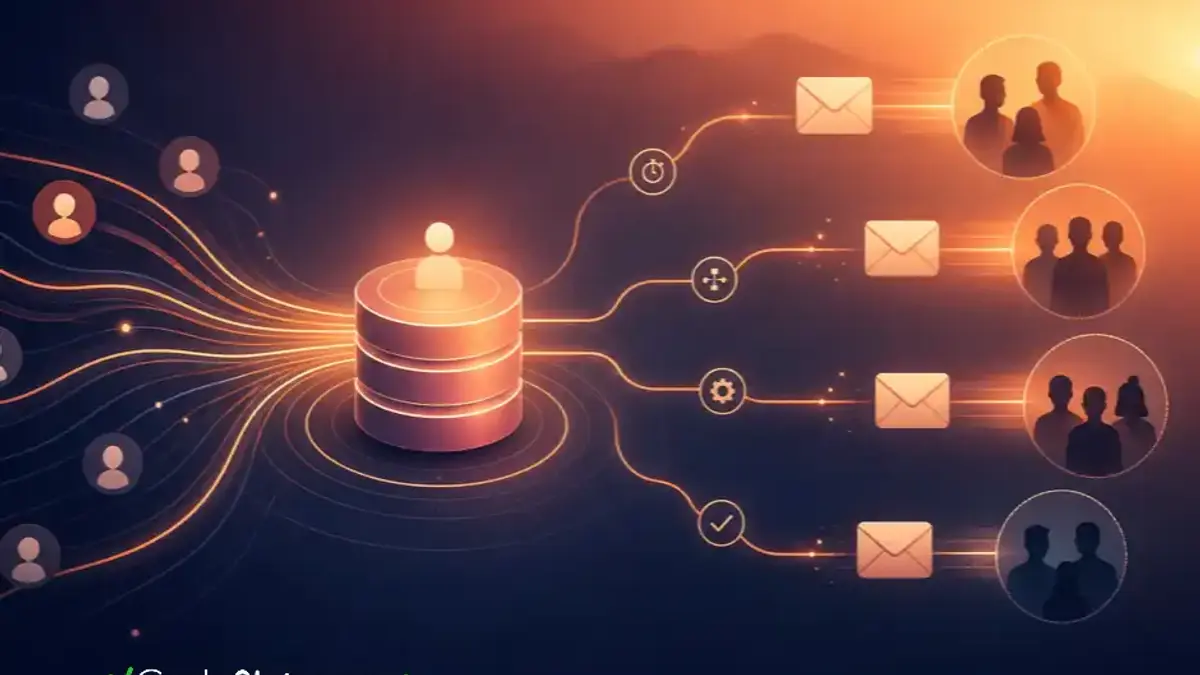
A standalone email tool starts from a list you upload and forget. Zoho Campaigns starts from your live CRM. Contacts, lead stages, deal status, and custom fields sync between CRM and Campaigns, so you can target "customers who bought in the last 90 days but haven't opened a ticket" or "leads stuck in proposal for two weeks" — segments built from real sales data, kept current automatically.
That bidirectional flow also closes the loop the other way: email engagement (opens, clicks, campaign membership) can inform the CRM, so sales sees that a prospect just clicked the pricing email before they call. For a Zoho shop, this is the difference between marketing that guesses and marketing that knows. If your underlying CRM data is messy, though, the segments inherit the mess — clean data first.
Pricing scales with contacts and sends, and there's a usable free tier. Approximate 2026 figures — confirm on Zoho's page before budgeting:
Plan | Approx. price | What you get |
Free | $0 | Up to 2,000 contacts, ~6,000 emails/month |
Standard | ~$3.50/mo (per 500 contacts, annual) | Unlimited emails, automation, autoresponders |
Professional | ~$5.30/mo (per 500 contacts, annual) | Advanced automation, segmentation, approvals |
Source: Zoho Campaigns pricing. The free tier (2,000 contacts, 6,000 emails) is enough for a small business to run a real newsletter at zero cost, and paid tiers scale by contact count rather than charging enterprise rates. For SMBs that want segmentation and automation without a large marketing-automation bill, that pricing is the draw.
Consider an automation that's hard to build with a disconnected tool. A client wanted a sequence that fired only for customers who'd actually purchased a specific product line — not their whole list.
Segment from CRM data. The trigger audience was defined by a CRM field (product purchased), kept live by the sync.
Branch on behavior. Buyers who opened the first email got an upsell; non-openers got a different nudge.
Feed engagement back. Clicks updated the CRM so sales could follow up warm leads by phone.
Suppress on support state. Customers with an open complaint were held out, using CRM ticket data — so nobody got an upsell email mid-problem.
The journey itself took an afternoon to build. What made it possible was the CRM connection; without it, that "suppress on open complaint" step doesn't exist. For deeper cross-app automation, the same logic extends into our Zoho workflow automation work.
Email marketing isn't won by a prettier template. It's won by sending the right message to the right segment at the right moment — and that requires the data your CRM already holds.
Book a free Zoho consultation if your email tool and CRM don't talk and your campaigns are flying blind: start a no-risk discovery.
Two practical cautions, because they sink more email programs than features do. First, deliverability: authenticate your sending domain (SPF, DKIM, DMARC) and warm up gradually, or your beautifully segmented campaign lands in spam. Second, list hygiene: syncing CRM data is powerful, but emailing stale or unconsented contacts hurts your sender reputation and can breach regulations. Campaigns gives you the tools; the discipline of clean, consented lists is on you.
It fits when you're already on Zoho and want marketing that uses your CRM data, at SMB-friendly pricing. It's less compelling if you're not on Zoho at all — a standalone tool you already know may be simpler — or if you need very advanced, enterprise-grade marketing automation with complex multi-channel orchestration, where a dedicated platform (or Zoho's heavier Marketing Automation product) may fit better. For most Zoho-running small and mid-sized companies, Campaigns hits the right balance.
Zoho Campaigns turns email marketing from a disconnected guess into something that runs on your real CRM data — segments from live sales information, journeys that respect support state, engagement fed back to sales — at SMB-friendly pricing with a usable free tier. It's the natural email layer for a company already on Zoho, provided you mind deliverability and list hygiene. If your campaigns and CRM aren't talking, book a free Zoho consultation and we'll connect them.
By the CodeStringers Team — Zoho Experts & Custom Software. CodeStringers is a custom software engineering firm with a dedicated Zoho practice, writing from work we've actually shipped for clients.
Watch the 6-minute guided demo, then book a walkthrough: we read your CRM, ad accounts and content and show what a governed system would do differently. You pay only if you proceed. Or see how we approach it.
More on the same problem:
The sync is configured inside Campaigns by connecting the CRM org, choosing which modules to pull from, such as leads, contacts or a custom view, and mapping CRM fields to Campaigns fields. You decide whether the sync runs one way or both ways and how often it refreshes. Most teams sync a filtered view rather than every record so the mailing list only holds consented contacts, then let engagement data flow back to the CRM automatically.
Campaigns is the email tool: lists, newsletters, autoresponders and journeys built around email. Marketing Automation is the heavier product that adds lead scoring, website tracking, multi-channel journeys and attribution across the funnel. A company whose marketing is mostly email and nurture sequences rarely needs the larger product. Teams that want behavior tracking across web, email and ads, or scoring that feeds sales, usually outgrow Campaigns and move up.
Every email carries an unsubscribe link, and a contact who opts out is suppressed from future sends automatically. Campaigns also supports double opt-in, a consent record per contact, and topic-level preferences so someone can leave a newsletter without leaving transactional updates. Because the CRM sync can push status back, the sales team can see that a contact opted out before calling. Keep the consent source documented for privacy regulations.
The free plan caps contacts and monthly emails, as noted above. Paid plans price by contact count and allow unlimited sends, but new accounts and new sending domains are throttled at first while reputation builds. Sending a large blast from a cold domain is the most common reason early campaigns land in spam. Warm up with smaller, engaged segments for the first weeks, then scale volume.
Yes. Opens, clicks, bounces and campaign membership sync back to the lead or contact record, where they appear in the record's campaign history and can drive workflow rules. That allows a sales task to fire when a prospect clicks a pricing link, or a lead score to rise with engagement. The same data feeds CRM reports, so marketing and sales measure the same activity instead of comparing separate dashboards.
Start a Zoho One trial through our sign-up, or tag us as your Zoho partner for free consulting time every month.
"Something isn't working." "We're outgrowing our tools." "We're afraid to make the wrong move." No-Risk Discovery is a short, practical conversation that gets you clarity before you commit to anything big. We'll tell you if we're a fit. If we're not, we'll tell you that too.
Say who you are and ask. A person replies within one business day.