Customer Service Software for a Small Business Is the Wrong Shopping List: The Five Connections That Decide the Load.
Updated: 3 days ago
A company of forty people decides its support has become a problem. Tickets are in a shared inbox, three people answer them, nobody knows what is open, and customers are starting to say so. Somebody searches for customer service software for a small business and gets a ranked list of help desks.
The help desk is the smallest part of the decision. Every one on the list will hold tickets, route them, show a queue and report on it, and the differences between them matter less than most reviews suggest; we wrote a straight comparison of two of them if you want one. What decides whether support pays for itself is not the desk. It is five connections between the desk and the systems around it, and the shopping list should be those.
A ticket is a question the customer could not answer alone.
Start from what a ticket is. A customer writes because they want to know something or want something done, and they could not do either from what they could see. Where is my order. Why was I charged this. Can you change my address. Is the thing I reported fixed. How do I do the thing your product says it does.
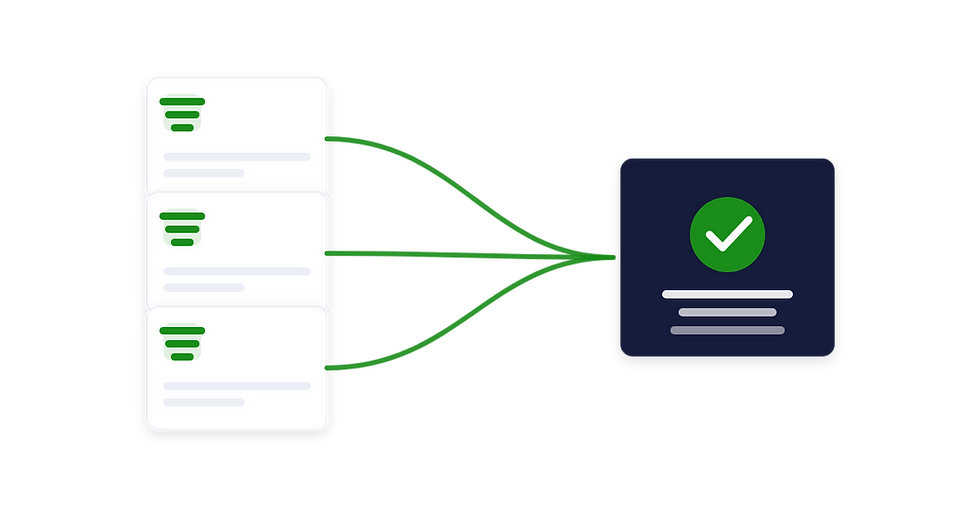
Every one of those is a question whose answer exists in a system the company already runs: the order system, the billing system, the CRM, the product or service tracker, and the documentation. The desk does not hold any of it. So the support agent opens five tabs, looks the customer up in each, and types the answer into the sixth. The load on support is the number of questions that arrive times the number of tabs it takes to answer each, and the desk changes neither number.
The five connections.
One: orders and deliveries.
Where is my order is the most common question in any company that ships anything, and it is entirely answerable by a machine. The connection carries order and shipment status into the desk, so the agent sees it on the ticket without a tab, and into the customer's own view, so that the question is answered before it is asked. This connection removes tickets; it is the one to build first.
Two: billing.
Why was I charged, when is my renewal, can I have a copy of the invoice, can you fix this. The connection carries invoices, payments and subscription status from the accounting or billing system into the desk and, where it is safe, into the customer's own view. Half of billing tickets disappear when the customer can see their own invoices; the other half close in one reply instead of three when the agent can.
Three: the CRM.
Who is this customer, what did they buy, what did sales promise them, are they a large account or a trial, who owns the relationship. The connection makes the desk and the CRM one record of the customer, so that a ticket from a top account is visible to the account owner and a sales conversation is visible to the agent. The CRM-to-desk join is the one most companies build first because it is the most visible; it does not remove tickets, but it stops the ones that turn into escalations.
Four: product or service status.
Is the thing I reported fixed, is the outage over, when is my project's next milestone. For a software company this is the connection between the desk and the issue tracker; for a services company it is the connection to the project system; for a physical product it is the returns and repair flow. The connection carries status back to the ticket and to the customer, so that a reported problem closes itself when it is fixed and the customer is told, instead of writing again to ask.
Five: knowledge.
How do I do the thing. The connection between the desk and the documentation, so that the agent's answer becomes an article, the article is offered to the customer before they submit, and the desk reports which questions are asked most so the product or the documentation can change. This connection is the one that shrinks the load over time rather than on the day it is built.
The order that pays.
Build the connections that remove tickets before the ones that speed them. Orders first, because it is the largest single category in most companies and the most automatable. Billing second, for the same reason at a smaller scale. Knowledge third, because it removes the how-do-I questions and it compounds. The CRM fourth, because it changes what happens to the tickets that remain rather than how many there are. Status last, because it needs the others to be worth much and because it changes how the product or delivery team works, which takes longest.
A company that builds the first two typically sees the ticket count fall by a third before anything about the desk changes. A company that buys a new desk and builds nothing sees the same tickets in a nicer queue.
Where the desk fits.
Buy a decent desk. Zoho Desk, if the rest of the company is on Zoho, because the connections above are shorter; otherwise whichever the team will use. Do not spend the evaluation on features. Spend it on the interface: can the desk receive a record from the order system, the billing system, the CRM, the tracker and the knowledge base, and show it on the ticket, and can it send a ticket's state back. A desk with a good interface and a plain feature list will beat a desk with a long feature list and a closed interface in every company we have seen.
Then treat the desk and the five connections as one system, which is what we mean by Customer Success OS: the desk, the customer's own view, and the connections to orders, billing, the CRM, status and knowledge, built so that the questions that can answer themselves do, and the agents handle the ones that cannot.
What it costs not to do this.
A support team that grows with customers. If every ticket needs five tabs, headcount scales with volume, and support becomes the cost that stops the company hiring anywhere else.
Customers who write twice. A customer who asks where their order is and is told it will ship soon writes again in three days. Every unanswerable question is two tickets.
Escalations nobody saw coming. A large account's third ticket in a week is a churn risk that the account owner never heard about because the desk and the CRM are two systems.
A product team that does not know what breaks. The most common question in the desk is the product's most obvious flaw, and without the knowledge connection nobody counts it.
How we start.
A no-risk discovery: a few days to read a month of tickets, sort them by which of the five connections would have answered or removed each, and put a number on how many tickets a forty-person company is paying people to answer that a connection would answer for free. That number decides the order. Then a written plan and a guaranteed estimate for the connections, one at a time, on the desk you have or the one you are about to buy.
The short version.
The help desk is the smallest part of the decision. Five connections, to orders, billing, the CRM, status and knowledge, decide how many tickets arrive and how fast each closes. Buy any decent desk with an open interface, then build the connections in the order that removes tickets before it speeds them. Support pays for itself when the questions that can answer themselves do.
Find out where your service operation and your systems stop agreeing.
In a no-risk discovery we show where your service team, your tickets and your customer records stop agreeing, and what one connected system would change. You pay only if you proceed. The 6-minute guided demo shows the system first. Or see how we approach it.
More on the same problem:


Comments