Before and After: A Real Zoho Implementation at an IT Services Firm.

Most case studies of business transformation with Zoho begin with the software.
This one begins with a business owner who told us he was operating at roughly 10% efficiency.
That was not a scientific calculation. It was his honest description of what running the business felt like. Deals moved through spreadsheets, email threads, shared folders, and the memories of the people involved. Important documents had to be found manually. Follow-up depended on someone remembering what came next. Buyers, sellers, listings, contracts, and transaction stages existed, but they did not exist in one dependable operating system.
The company did not lack effort. It lacked structure.
By the end of the project, the same client estimated that he was operating closer to 75% efficiency when getting and closing deals. The improvement did not come from hiring a larger team or replacing experienced people with technology. It came from building a system that helped those people do the right work, in the right order, with far less administrative friction.
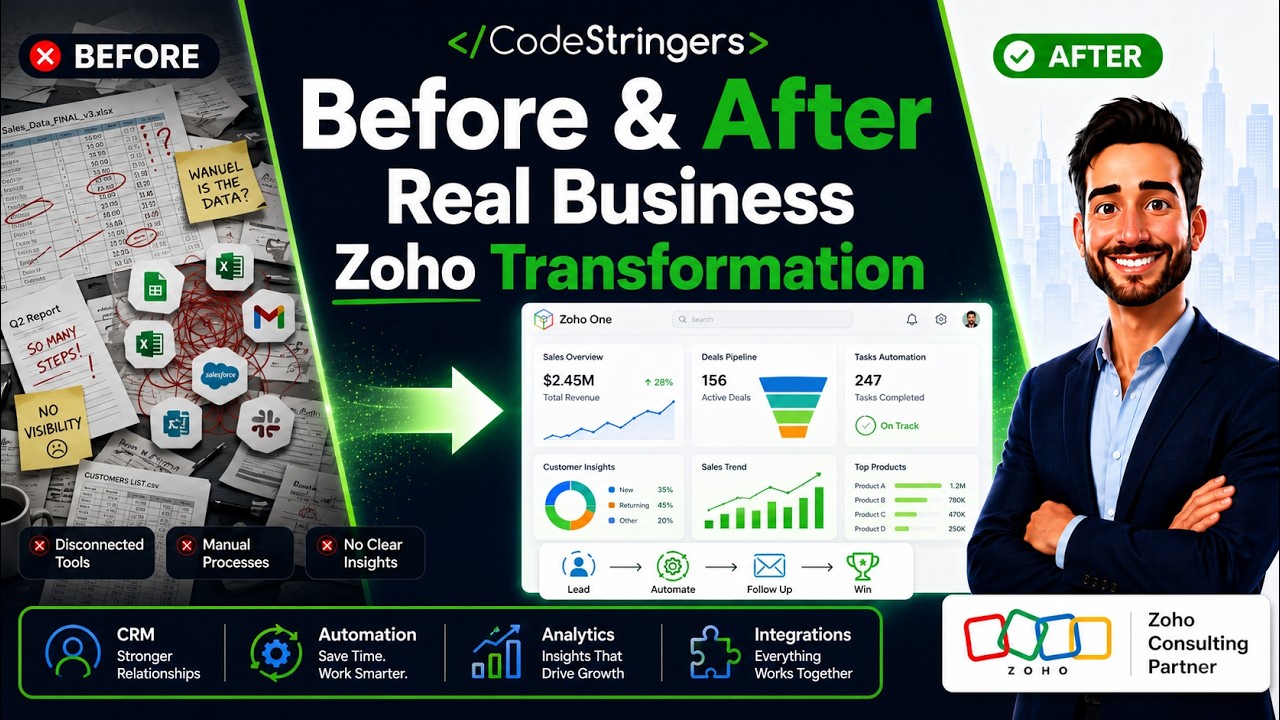
That is what a successful Zoho business transformation implementation should accomplish.
The company was a specialized brokerage. Its work was more complicated than a normal sales process because every transaction involved multiple people, documents, approvals, and stages.
A single deal could include:
a seller and one or more buyers;
a listing agreement;
confidentiality agreements;
marketing materials;
a confidential information memorandum;
letters of intent;
due-diligence documents;
purchase agreements;
tasks, reminders, and follow-up;
files distributed across private and public folders.
None of those elements were unusual by themselves. The problem was that they were managed through separate tools and informal processes.
The spreadsheet showed one version of the deal. Email contained another. Documents lived in folders that made sense to the person who created them. The latest status often existed in someone’s head.
This created three predictable problems.
First, the team spent too much time finding and updating information. Second, follow-up depended on memory. Third, leadership could not quickly see what was moving, what was stuck, and what required attention.
The company was not failing because people did not care.
The system required too much caring just to keep ordinary work moving.
A basic CRM would have created contact records, opportunities, and a few reports. That would not have solved the real problem.
The business needed a guided transaction operating system.
The system had to understand the difference between people, listings, transactions, buyers, contracts, and checklist items. It had to know where a deal was in the process and what should happen next. It needed to generate and route documents, create folders, track signatures, show buyer activity, and warn the team when momentum was beginning to leak out of a transaction.
That meant the project had to begin with the operating model, not the Zoho menus.
We mapped the process from the first seller conversation through closing. We identified the records that needed to exist, the relationships between them, the documents produced at each stage, and the conditions that should trigger tasks or warnings.
Only then did we decide how Zoho should be configured.
The finished system brought the transaction lifecycle into one connected environment.
People, listings, deals, potential buyers, contracts, checklists, and settings became structured records rather than disconnected pieces of information. The transaction moved through a defined pipeline:
Pre-Listing → Listing Agreement → NDA → CIM → Buyer Outreach → LOI → Due Diligence → Purchase Agreement → Closed
That structure did more than make the CRM look organized. It gave the system enough context to guide the work.
When a deal entered a new stage, the team could see what needed to happen. When a buyer expressed interest, the relationship between the buyer and transaction was tracked. When a document needed to be created or signed, the process could be initiated from the appropriate record. When a deal sat without meaningful activity, the system could identify it as stuck.
The software stopped acting like a database.
It began acting like an operating system.
Document handling was one of the largest sources of friction before the implementation.
The new system connected Zoho CRM, Zoho Sign, Zoho Writer, and Zoho WorkDrive so documents could be generated, signed, stored, and associated with the correct transaction.
Confidentiality agreements could be initiated from the relevant person or buyer record. Transaction folders were created in a consistent structure. Confidential information memorandum materials were organized into defined categories. Published materials could be moved into a controlled deal-room structure.
This matters because document automation is not simply about saving a few clicks.
A document is often the thing that moves the transaction forward. If the agreement is not prepared, sent, signed, stored, and visible to the next person, the deal slows down. Connecting documents to the workflow protects momentum.
Most CRMs are good at showing what exists.
A more valuable system shows what requires attention.
We created logic that considered the transaction stage, completed tasks, checklist activity, and the last meaningful update. If a transaction remained inactive long enough, it could be flagged as stuck.
The system also created a plain-language explanation of what the team was waiting for. Instead of showing an abstract field value, it could indicate that the deal was waiting on the seller to sign an agreement or waiting on the internal team to prepare the next document.
That changed the daily question from:
“Where is everything?”
to:
“What needs our attention today?”
That is a small linguistic difference and a major operational one.
Brokerage transactions do not involve only sellers and deals. Buyers have their own journey.
The system created a buyer pipeline that showed the buyer, the associated transaction, the current stage, the last contact, and the next action. Buyer matching logic could compare buyer preferences with listing characteristics, exclude inappropriate matches, and recalculate when information changed.
This reduced the dependence on spreadsheets and memory. It also made buyer outreach more systematic without turning it into impersonal automation.
The technology did not replace the broker’s judgment.
It made sure that judgment was applied to the right opportunities at the right time.
Many CRM projects begin with a request for a dashboard.
That is usually backwards.
A dashboard can only be trusted after the data model, workflow, definitions, and user behavior are trustworthy. Otherwise, it is simply a polished display of incomplete information.
Once the transaction system was in place, reporting became more meaningful. Leadership could see the stage of each deal, buyer activity, document status, checklist progress, and transactions at risk of stalling.
The dashboard did not create control.
The operating system beneath it created control. The dashboard merely made that control visible.
At the beginning of the project, the client described himself as roughly 10% efficient.
At the end, he estimated that he was closer to 75% efficient at getting and closing deals.
That does not mean every task became automatic or every inefficiency disappeared. It means the business had moved from an informal collection of tools to a guided operating system that supported the way transactions actually worked.
The company gained:
a single source of truth for transactions;
consistent stages and responsibilities;
automated document workflows;
organized transaction folders;
clearer buyer management;
visible next actions;
earlier warnings when deals stalled;
better information for daily decisions.
Most importantly, the owner and team could spend more time moving deals forward and less time reconstructing what had already happened.
The lesson is not that every business needs the exact same Zoho configuration.
The lesson is that technology becomes valuable when it reflects the real operating model.
Zoho provided the foundation because it could connect CRM, documents, signatures, storage, workflows, analytics, and custom logic. But the applications were only ingredients. The transformation came from understanding the business, designing the system around the transaction, and making the software accountable for routine coordination.
A generic implementation would have produced a cleaner contact list.
A business-first implementation produced a transaction operating system.
That is the difference between buying software and improving a company.
Before the project, the business spent too much time figuring out what had happened.
After the project, the system helped the team decide what should happen next.
That is the standard we use for a successful Zoho implementation. The goal is not simply to digitize the existing process. It is to create a more reliable, visible, and scalable way of operating.
At CodeStringers, we begin with the workflows, bottlenecks, documents, decisions, and measurable outcomes. Then we configure Zoho, connect the applications, build the automation, and remain accountable after go-live.
The software matters.
The transformation matters more.
In a no-risk discovery we look at your CRM, finance and operations systems and who owns each part, and show what a connected system would do differently. You pay only if you proceed. Or see how we approach it.
More on the same problem:
CRM for Professional Services: From Pipeline to Paid, in One System (article)
Zoho Integrations: Connecting Zoho to the Rest of Your Business (article)
In the case on this page, it began with the operating model rather than the Zoho menus: mapping the process from the first seller conversation through closing, identifying the records that had to exist and how they related, the documents produced at each stage, and the conditions that should create tasks or warnings. Only then was Zoho configured. The result connected people, listings, transactions, buyers, contracts and checklists into one pipeline, with documents generated, signed and stored from the records.
A guided transaction system with custom modules, a defined pipeline, document automation across Zoho CRM, Zoho Sign, Zoho Writer and Zoho WorkDrive, stuck-deal logic and a buyer pipeline is typically delivered over several months in releases, rather than in a single launch. The early weeks are spent on process mapping and the data model, which decide everything that follows. A simpler implementation with standard modules and a few automations can be done in four to eight weeks.
The system on this page used logic that considered the transaction stage, completed tasks, checklist activity and the last meaningful update. When a transaction had no meaningful activity for long enough, it was flagged as stuck, and the system produced a plain-language explanation of what the team was waiting on, such as a seller's signature or an internal document. That turned the daily question from where everything is to what needs attention today, which is the practical difference between a database and an operating system.
A dashboard can only be trusted after the data model, the workflow, the field definitions and user behavior are trustworthy; otherwise it is a polished display of incomplete information. In this implementation, once the transaction system was in place, leadership could see each deal's stage, buyer activity, document status, checklist progress and transactions at risk, and the numbers meant something. The dashboard did not create control. The structure beneath it created control, and the dashboard made it visible.
The client in this case described moving from roughly ten percent efficiency at getting and closing deals to around seventy-five percent, by his own estimate rather than a measured figure. The concrete gains were a single source of truth for transactions, consistent stages and responsibilities, automated document workflows, organized folders, clearer buyer management, visible next actions and earlier warnings when deals stalled. Results elsewhere depend on how well the configuration reflects the real operating model, which is the lesson the page draws.
"Something isn't working." "We're outgrowing our tools." "We're afraid to make the wrong move." No-Risk Discovery is a short, practical conversation that gets you clarity before you commit to anything big. We'll tell you if we're a fit. If we're not, we'll tell you that too.
Say who you are and ask. A person replies within one business day.