No Code App Development: Building Scalable Architecture Around It
Updated: 14 hours ago
The Rise of No-Code Prototypes
In the race to validate ideas and capture market opportunities, time is often the most valuable currency. That’s why no-code platforms like Bubble, Webflow, Glide, and Retool have become game-changers in early-stage product development. They enable non-technical founders, product managers, and even marketers to bring ideas to life within days - sometimes hours - without waiting for engineering bandwidth.
But here’s the paradox: the very tools that accelerate innovation can also become bottlenecks when traction happens. A prototype built in a weekend might be fine for demo day or a few dozen users. But when that same product hits a few thousand users, requires real-time integrations, or must comply with data protection regulations, the underlying architectural shortcuts suddenly become liabilities.
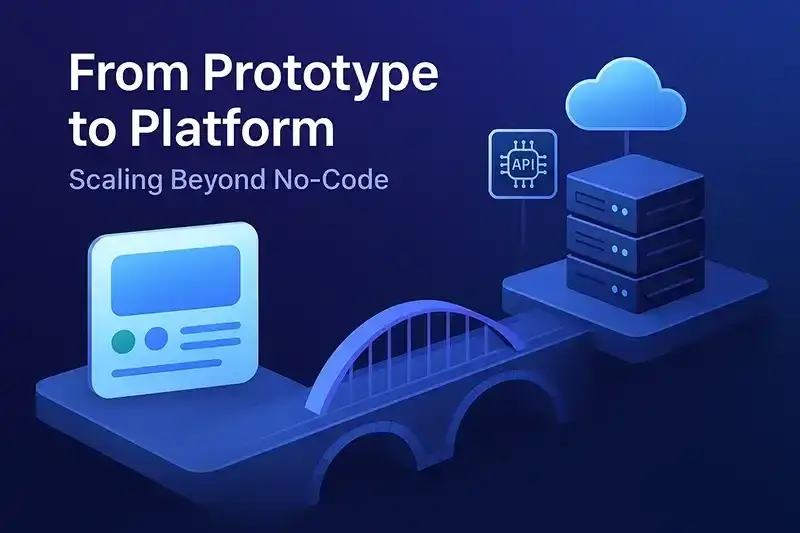
And crucially, no-code/low-code is not a replacement for the software development lifecycle. You still need solid product design, business analysis, QA, DevOps, and architecture thinking, regardless of how quickly your UI comes together. Skipping these will compromise the very speed and agility that no-code promises in the first place.
This article explores how to go beyond the prototype stage and build scalable, resilient systems without discarding your no-code investment. We’ll dissect the limitations, identify transition points, and map out a hybrid architecture approach that balances speed with scale.
Understanding the Limitations of No-Code Platforms
No-code platforms are brilliant at enabling experimentation - but they are rarely built with long-term scalability in mind. As your application matures, you will likely encounter several structural and operational challenges:
1. Performance Constraints
Most no-code tools abstract away infrastructure concerns, but that convenience comes with limitations. Performance bottlenecks become apparent as you scale up user concurrency, data volume, or computational complexity. For instance, Bubble's single-threaded backend logic can stall under intensive workloads.
2. Security & Compliance Risks
No-code tools often offer limited control over how data is stored, accessed, or audited. This poses serious concerns for businesses subject to regulations like GDPR, HIPAA, or SOC 2. Moreover, security audits become more difficult when you don’t have full visibility into how the platform operates under the hood.
3. Customization Gaps
While you can achieve a lot with drag-and-drop interfaces and visual workflows, eventually you’ll hit a wall. Need a multi-step OAuth flow? Real-time webhooks? Deep third-party API integrations? Most no-code tools either can’t support them - or make them painfully inefficient.
4. Vendor Lock-In
The deeper you build into a specific no-code ecosystem, the harder it becomes to migrate out. Your logic, data structures, and even UI are often tightly coupled to proprietary schemas and execution models.
These limitations don’t mean no-code is bad. They mean you need to treat your no-code layer as a bridge, not a foundation - and plan for what's next.
From Prototype to Platform: When to Transition
Transitioning away from a pure no-code prototype isn't about abandoning speed - it's about evolving your architecture to meet new demands.
But how do you know when it's time?
Key Indicators That It’s Time to Scale Beyond No-Code
User Growth: You're onboarding hundreds or thousands of users, and the app is noticeably slower.
Critical Workflows: Your app is becoming operationally essential - downtime or bugs now hurt your business, not just your UX.
Integration Needs: You need to sync with external systems (e.g., Stripe, Salesforce, or proprietary APIs) in ways that no-code can’t efficiently support.
Security & Data Ownership: Clients begin asking about how their data is handled, and you don’t have sufficient answers.
Team Growth: Multiple developers or teams need version control, code reuse, and modularization - features no-code rarely supports well.
Levels of Transition
No-Code to Hybrid: Keep the frontend in no-code but offload business logic to APIs or cloud functions. Ideal for companies that still want rapid UI iteration.
Hybrid to Custom-Built: Gradually replace UI and backend components with custom code using a “strangler pattern” approach.
Full Rebuild: For fast-growing companies with enterprise ambitions, rebuilding from scratch on a robust tech stack may be the cleanest long-term path - but should only happen with strong market validation.
Designing a Scalable Architecture Around No-Code
Once you've decided to evolve beyond a pure no-code app, the key is not to throw everything away. Instead, the goal is to architect a system where no-code and code-based components coexist, each playing to their strengths.
1. Adopt a Modular Architecture
Treat your no-code prototype as just one module in a larger system. Define clear responsibilities:
Frontend UI: No-code handles presentation and interaction.
API Layer: Acts as the interface between no-code and custom logic.
Service Layer: Contains business logic, third-party integrations, or heavy data processing.
Persistence Layer: Your structured database - migrated from no-code’s proprietary storage if needed.
This separation of concerns allows you to upgrade or replace parts of the system incrementally, not all at once.
2. Build a Contract with APIs
Your no-code frontend should interact with your backend only via well-documented APIs. This provides:
A stable interface even if backend logic changes.
Freedom to evolve the backend using scalable tools (e.g., Node.js, Python, Go).
Testing and security isolation.
For example, instead of relying on Bubble’s internal workflows, you could have your app call a cloud function to process payments, validate logic, or trigger workflows in external systems.
3. Use Strangler Pattern for Incremental Migration
Borrowed from legacy system modernization, the Strangler Fig pattern involves wrapping the existing system and slowly routing functionality to the new architecture. This means:
Migrating one feature at a time.
Reducing risk by keeping fallback systems operational.
Avoiding the “big rewrite” trap that kills many startups.
You might start with payment processing, then user authentication, then analytics - each gradually moved to scalable infrastructure.
4. Prioritize Observability and Monitoring
When you're dealing with distributed systems (no-code frontend + coded backend), debugging gets harder. Build observability into your architecture early:
Use tools like Sentry, LogRocket, PostHog to monitor frontend issues.
Integrate backend logging with Datadog, New Relic, or OpenTelemetry.
Set up alerts for API failures, high response times, or dropped data.
Scalability isn’t just about handling more users - it’s about anticipating failure and recovering fast.
Tech Stack Recommendations for Hybrid Models
Choosing the right tools is critical when bridging no-code prototypes with scalable custom infrastructure. The good news is: you don’t need to reinvent the wheel. Below is a proven tech stack combination for each layer of a hybrid architecture.
Frontend (No-Code/UI Layer)
Bubble: Excellent for MVPs with rich UI, user authentication, and database.
Webflow: Great for landing pages, marketing sites, and CMS-based content.
Retool: Ideal for building internal tools fast, with strong support for external APIs.
FlutterFlow: Suitable for mobile-first experiences.
These platforms allow for fast iteration and user testing - while you transition logic elsewhere.
API Gateway & Middleware
AWS API Gateway: Scalable and secure, ideal for routing requests to various services.
Express.js / Fastify (Node.js): Lightweight and popular for building RESTful APIs quickly.
GraphQL via Apollo or Hasura: For modern, flexible data queries, especially when frontend needs change rapidly.
Backend Services
Firebase Functions / Supabase Edge Functions: Serverless compute with rapid deployment.
Node.js / Python Flask / Go: When you need performance and full control over business logic.
tRPC or gRPC: For strictly typed, high-performance RPC-style communication between services.
Database & Storage
Supabase: Open-source Firebase alternative with PostgreSQL under the hood.
PlanetScale / Neon: Serverless SQL databases designed for high scalability.
MongoDB Atlas: For schema-less applications or rapid prototyping.
Authentication & Security
Auth0 / Clerk / Firebase Auth: Simplified user auth with social login, SSO, and multi-factor authentication.
Zitadel: Open-source identity and access management for more control.
Monitoring & Observability
Sentry: Track errors on both frontend and backend.
PostHog / LogRocket: Understand how users interact with your no-code UI.
Datadog / Grafana Cloud: Full-stack monitoring of performance metrics and infrastructure health.
DevOps & CI/CD
Vercel / Netlify: Ideal for frontend deployment and instant rollback.
GitHub Actions / Railway / Render: Automate testing, deployment, and environment provisioning.
This stack is modular, flexible, and built to evolve alongside your product’s maturity.
Conclusion: Bridging Speed and Scale
No-code platforms aren’t going away - in fact, their role in the software development lifecycle is expanding. But the misconception that they can scale indefinitely is a dangerous one.
For startups, the right strategy isn’t “code vs. no-code” - it’s “code where you must, no-code where you can.” By embracing hybrid architectures, product teams can:
Move fast during the validation phase.
Scale responsibly when real-world usage demands it.
Avoid complete rewrites that drain time and morale.
And just as important, teams must still invest in product thinking, QA processes, DevOps pipelines, and scalable architecture - because speed without structure breaks at scale.The future of scalable software isn’t abandoning no-code - it’s architecting around it intelligently.
Find out what one connected Zoho system would change in the way you run.
In a no-risk discovery we look at your CRM, finance and operations systems and who owns each part, and show what a connected system would do differently. You pay only if you proceed. Or see how we approach it.
More on the same problem:


Comments