1. Introduction
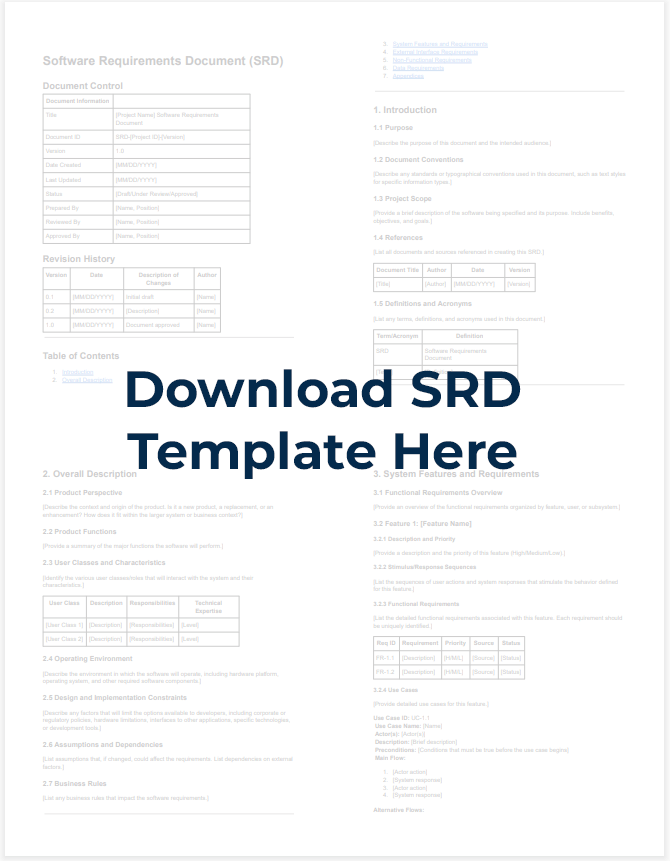
A Software Requirement Document (SRD) is a comprehensive description of all the intended features, functionalities, and behaviors of a software system. It serves as a contract between stakeholders, developers, and users, ensuring everyone has a clear understanding of what the final product should accomplish.
Creating an effective SRD is crucial to the custom software development process. It helps prevent scope creep, reduces misunderstandings, and provides a roadmap for both development and testing teams. A well-crafted SRD can save time, money, and frustration by aligning expectations early in the development lifecycle.
The benefits of a well-written SRD are numerous:
- It provides clear direction for developers
- It helps estimate time and resources accurately
- It serves as a reference point for testing and quality assurance
- It reduces the risk of project failure due to misaligned expectations
- It creates a foundation for future maintenance and updates
2. Preparation Before Writing
Gathering Information from Stakeholders
Before you start writing, collect input from all relevant stakeholders. This includes business owners, end-users, developers, and anyone else involved in the project. Consider conducting interviews, surveys, or workshops to gain a comprehensive understanding of their needs and expectations.
Have you identified all the key stakeholders? Make sure no critical perspective is missing from your information-gathering process.
Understanding Your Users
Who will be using this software? What are their technical abilities, preferences, and pain points? Creating user personas can help you understand the end-users better, ensuring the requirements address their actual needs rather than assumptions.
Defining Project Scope
Clearly establish what the software will and won’t do. This helps prevent scope creep and keeps the project focused. Ask questions like: What problems should this software solve? What features are essential versus nice-to-have? What existing systems will this integrate with?
Setting Clear Objectives
Define specific, measurable objectives for the software. Each requirement should contribute to achieving these objectives. This gives the team a clear target to aim for and helps prioritize features during development.
3. Structure of an Effective SRD
Project Overview
Start with a high-level summary of the software project. Include the project’s purpose, main functionalities, target users, and expected benefits. This section should give readers a quick understanding of what the project aims to accomplish.
Purpose and Scope
Clearly define what the software will do and, equally important, what it won’t do. Outline the boundaries of the project to manage expectations and prevent scope creep later on.
Definitions and Abbreviations
Include a glossary of technical terms, industry-specific jargon, and abbreviations used throughout the document. This ensures everyone has the same understanding of the terminology, regardless of their background.
Functional Requirements
List all the features and functions the software must perform. These should be organized logically, perhaps by user role, system module, or business process. Each requirement should be specific, testable, and traceable.
Non-Functional Requirements
Describe the quality attributes the software must possess, such as performance, security, usability, and reliability. These requirements are often as important as functional ones but are easier to overlook.
System Interactions
Document how the software will interact with other systems, APIs, or databases. Include details about data exchange formats, protocols, and authentication methods.
Constraints and Limitations
Identify any technical, business, or regulatory constraints that might impact development. This could include budget limitations, technology restrictions, compliance requirements, or time constraints.
4. Writing Functional Requirements
Describing Each Function
When writing functional requirements, be specific about what the system should do, not how it should do it. Focus on the user’s perspective and the expected outcome rather than implementation details.
For example, instead of writing “The system will use SQL to store user data,” write “The system must store user profiles including name, email, and preferences.”
Using User Stories
User stories are a powerful tool for capturing requirements from the user’s perspective. They follow a simple format: “As a [type of user], I want [some goal] so that [some reason].”
For example: “As a manager, I want to view team performance metrics so that I can identify areas for improvement.”
For more on this, consider reading our whitepaper on Writing Effective User Stories.
Prioritizing Requirements
Not all requirements are equally important. Use a prioritization system (such as MoSCoW: Must have, Should have, Could have, Won’t have) to indicate which features are essential and which are desirable but not critical.
Identifying Use Cases
Document specific scenarios showing how users will interact with the system to accomplish goals. Each use case should include actors, preconditions, main flow, alternative flows, and postconditions.
Process Flow Diagrams
Visual representations of workflows can clarify complex processes. Include diagrams showing the sequence of actions, decision points, and system responses for key functions.
5. Writing Non-Functional Requirements
System Performance
Specify response times, throughput, and resource utilization expectations. For example: “The system must load search results within 2 seconds under normal load conditions (up to 1000 concurrent users).”
Security
Detail security requirements including authentication, authorization, data protection, and compliance with relevant standards or regulations. Be specific about security measures needed.
Scalability
Define how the system should handle growth in users, data volume, or transaction rates. Include specific metrics and thresholds.
Reliability
Specify uptime requirements, acceptable failure rates, and recovery procedures. For example: “The system must maintain 99.9% uptime during business hours.”
Usability
Describe user interface requirements, accessibility standards, and usability expectations. Consider different user types and their specific needs.
Maintainability
Outline requirements for code documentation, version control, and future maintenance needs. This helps ensure the software remains viable long-term.
6. Effective Writing Techniques
Using Clear, Simple Language
Write in plain English, avoiding unnecessary jargon or overly technical language. Remember that stakeholders from various backgrounds will read this document. If technical terms are necessary, make sure they’re defined in your glossary.
Avoiding Unnecessary Technical Jargon
While some technical terminology is unavoidable, excessive jargon can confuse readers and lead to misunderstandings. When in doubt, opt for simpler language.
Writing SMART Requirements
Ensure each requirement follows the SMART criteria:
- Specific: Clearly states what is required
- Measurable: Can be tested or verified
- Achievable: Technically and practically possible
- Relevant: Contributes to business goals
- Time-bound: Has clear timeframes if applicable
Using Supporting Visuals
Diagrams, flowcharts, wireframes, and other visual aids can communicate complex ideas more effectively than text alone. Include relevant visuals to support your written requirements.
Numbering and Categorizing Requirements
Implement a consistent numbering system for requirements to make referencing easier. Group related requirements together and use a hierarchical structure to show relationships between high-level and detailed requirements.
7. Reviewing and Validating the SRD
Stakeholder Review
Share the draft SRD with key stakeholders and gather their feedback. This helps ensure nothing important has been missed and that the requirements accurately reflect their needs.
Ensuring Consistency
Check for inconsistencies between requirements. Conflicting requirements can lead to confusion during development and potentially system failures.
Confirming Completeness
Verify that all necessary requirements have been included. Use checklists or requirements traceability matrices to ensure coverage of all identified needs.
Handling Feedback and Edits
Establish a process for incorporating feedback and managing changes to the document. Track all suggested changes and the reasons for accepting or rejecting them.
8. Managing Requirement Changes
Establishing Change Control Process
Define a formal process for proposing, evaluating, and implementing changes to requirements after the SRD is approved. This helps prevent scope creep and ensures that changes are properly assessed.
Version Tracking
Maintain a version history of the SRD, documenting what changed, who requested it, who approved it, and when. This creates an audit trail and helps maintain accountability.
Assessing Change Impact
For each proposed change, evaluate the impact on project timeline, budget, and other requirements. Will this change affect existing features? Will it require additional resources?
9. Tools and Supporting Software
Requirement Management Tools
Consider using specialized tools like JIRA, Confluence, ReqView, or Modern Requirements to manage and track requirements throughout the project lifecycle.
Diagramming Software
Tools like Lucidchart, Draw.io, or Microsoft Visio can help create professional diagrams to illustrate workflows, system architecture, and user interfaces.
Document Management Systems
Implement a system for storing, sharing, and controlling access to requirement documents. This ensures everyone has access to the most current version.
10. Common Mistakes and How to Avoid Them
Ambiguous, Unclear Requirements
Ambiguity leads to misinterpretation. Avoid vague terms like “user-friendly,” “fast,” or “secure” without specific definitions. Instead, provide measurable criteria: “Pages must load within 3 seconds” or “The system must comply with GDPR data protection standards.”
Missing Critical Details
Incomplete requirements often result from assumptions about what is “obvious.” Always ask questions like: Who? What? When? Where? Why? How many? How often?
Conflicting Requirements
Review requirements as a whole to identify and resolve contradictions. For example, a requirement for extensive data collection might conflict with a requirement for minimal data storage for privacy reasons.
Unrealistic Requirements
Ensure requirements are technically feasible and achievable within project constraints. Consult with technical experts to validate feasibility before finalizing requirements.
11. Conclusion
Creating an effective Software Requirement Document is both an art and a science. It requires clear communication, attention to detail, and a deep understanding of both user needs and technical possibilities.
Remember that the SRD is a living document that may evolve as the project progresses. The key is to maintain its integrity through proper change management while remaining flexible enough to adapt to new insights or changing business needs.
After completing your SRD, the next steps typically include:
- Getting formal approval from key stakeholders
- Creating a detailed project plan based on the requirements
- Establishing a traceability matrix to link requirements to design elements and test cases
- Setting up regular review points to ensure the development stays aligned with requirements
For further reading, consider exploring resources on agile requirements management, user experience design, and software testing methodologies to enhance your requirements engineering skills.
By following the guidelines in this article, you’ll be well-equipped to create comprehensive, clear, and effective software requirement documents that set your projects up for success.